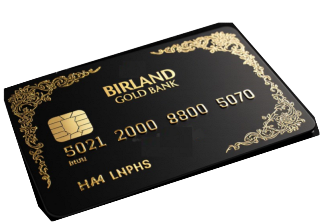











Покупка и продажа государственной цифровой валюты Birland Gold Pound
Непосредственно в государственном банке Королевства Бирланд
Birland Gold Bank
Безопасно, без посредников, без регистрации на биржах,
без паспорта до 100 000 BGP

Instructions for using Birland Exchange
Birland Exchange (BirEx) is a secure exchange office of the State Bank of the Kingdom of Birland, Birland Gold Bank, for converting Birland Gold Pound (BGP) tokens into Tether USD (USDT) tokens in the blockchain network (TRC-20) and vice versa. The exchange takes place automatically with a fixed fee of 4 BGP per transaction. The amount of the commission does not depend on the amount of the exchange transaction.
 Buy BGP — If you want to buy BGP with USDT
 Sell BGP — If you want to sell BGP for USDT
1. Tron wallet on the TRC-20 network (address starts with T, for example: TQ3pFWNyf2ASTrLKSUYWSJhr4UAbp9tHEd)
2. Minimum amounts:
o Purchase of BGP: from 150 USDT
o BGP Sale: from 100 BGP
3. Sufficient TRX balance for the Tron TRC-20 blockchain network commission
4. Identity verification (KYC) will be required in case of an exchange in excess of 100,000 BGP
Step 1. Selecting an operation
On the exchanger page, select the transaction type:
Buy BGP — If you want to buy BGP with USDT
Sell BGP — If you want to sell BGP for USDT
Step 2: Enter the amount
1. In the Amount field, enter the quantity:
o USDT — if you buy BGP
o BGP — if you sell BGP
2. The system will automatically calculate:
o How much will you get
o Commission (4 BGP)
o Current exchange rate
Step 3: Enter your address
1. In the «Your Tron address» field, enter your Tron wallet address.
2. Make sure the address:
o Starts with the letter T
o Contains exactly 34 characters
o Does not contain spaces or errors
Step 4: Transfer funds
1. Click the Continue button
2. The system will show:
o Our wallet address for transfer
o The exact amount to be transferred
3. Copy the address and transfer the specified amount from your wallet
o To purchase BGP: send USDT to the address provided
o To sell BGP: send BGP to the specified address
Step 5: Confirm the transaction
1. After the transfer, find the transaction hash in your wallet history
2. Paste the hash into the «Transaction hash» field
3. Click «Confirm»
What happens next?
1. Auto-verification — the system verifies your transaction on the blockchain (usually 1-15 minutes)
2. Confirmation — if the verification is successful, the status changes to «Confirmed»
3. Completion — the robot administrator makes a counter transfer within the next business day
4. Receiving funds — you receive funds to the address you specified
5. If you have not received the amount in your wallet by the end of the business day following the transaction, contact the administrator via cha t
• Do not edit the amount when transferring – send the exact amount specified
• Copy the addresses using the “Copy” button to avoid errors
• Store the transaction hash until the exchange is complete
• One transaction — one hash — do not use one hash for multiple transactions
• Tron network fees are paid separately — make sure you have TRX in your wallet for fees
 Processing times:
• Autocheck: 1-15 minutes
• Manual processing: 1-12 hours (during working hours)
• Total time: usually 1-3 hours
Where can I find a transaction hash?
• In the Tron wallet: Transaction history → Transaction details → Transaction ID/Hash
• In TronScan: paste the wallet address → Transactions → Copy TxHash
How to check the transaction status?
1. Paste the hash into TronScan
2. Or contact support with the transaction number.
Why are 4 BGP fees being charged?
This is Birland Exchange’s fee for the transaction. The fee is fixed and does not depend on the amount.
What should I do if I have the wrong address?
Contact support immediately with the transaction hash. If the funds haven’t been processed yet, a refund may be possible.
Why is the transaction not confirmed?
• Not enough network confirmations (please wait 5-10 minutes)
• Error in address or amount
• Lack of network commission (TRX)
• API issues (please contact support)
Technical support:
If you have any problems:
1. Save the transaction number from the exchanger
2. Save the transaction hash from the blockchain
3. Contact Birland support with this information.
Safety:
•Birland Exchange does not store your private keys
•All operations take place through smart contracts
•Addresses are checked for validity
•Every transaction is verified on the blockchain
________________________________________
Support contacts:
Email: support@birland.digital
Telegram: @BirlandGoldPound
Opening hours: 24/7